Wiresharklive on the Lab 1 HTTP trace · screenshots on the next six slides
Toolbox section of the README.md
1Display filterhttpip.addr == 10.0.0.5
2Apply as Filterright-click a field
3Follow TCP Streamthe whole conversation
4Conversations, EndpointsStatistics menu
5Export ObjectsFile menu · IMF in Case 1
6Displayed: Nthe status bar = “how many”
Wireshark · helper 1 of 6Lab 1 trace, not the case files
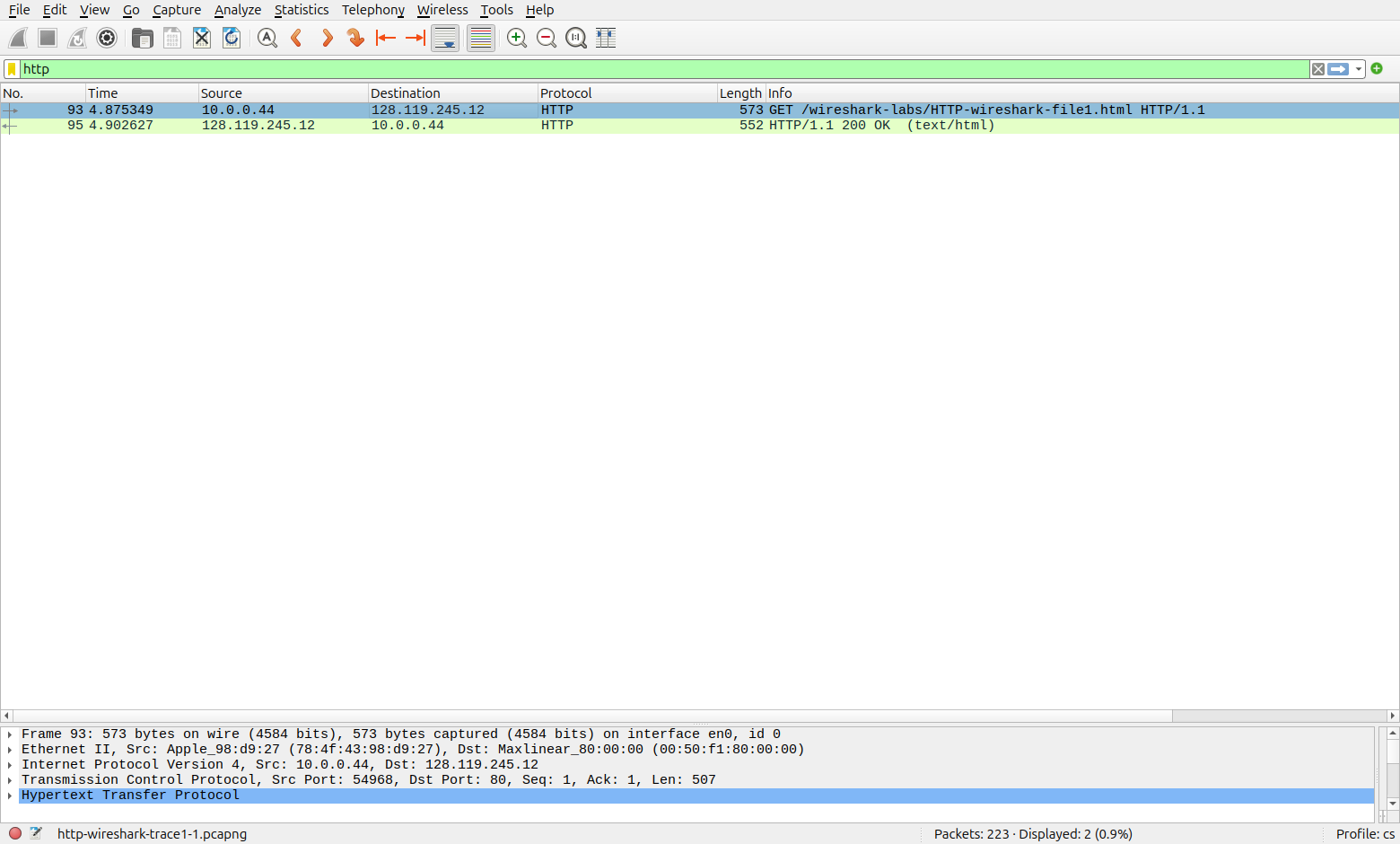
Move 1 and 6: a display filter, and the Displayed count
Type the filter in the bar and press Enter. Green means it parses. The status bar at the bottom shows Displayed: N: your answer to any “how many” question. Combine conditions with &&.
Wireshark · helper 2 of 6Lab 1 trace, not the case files
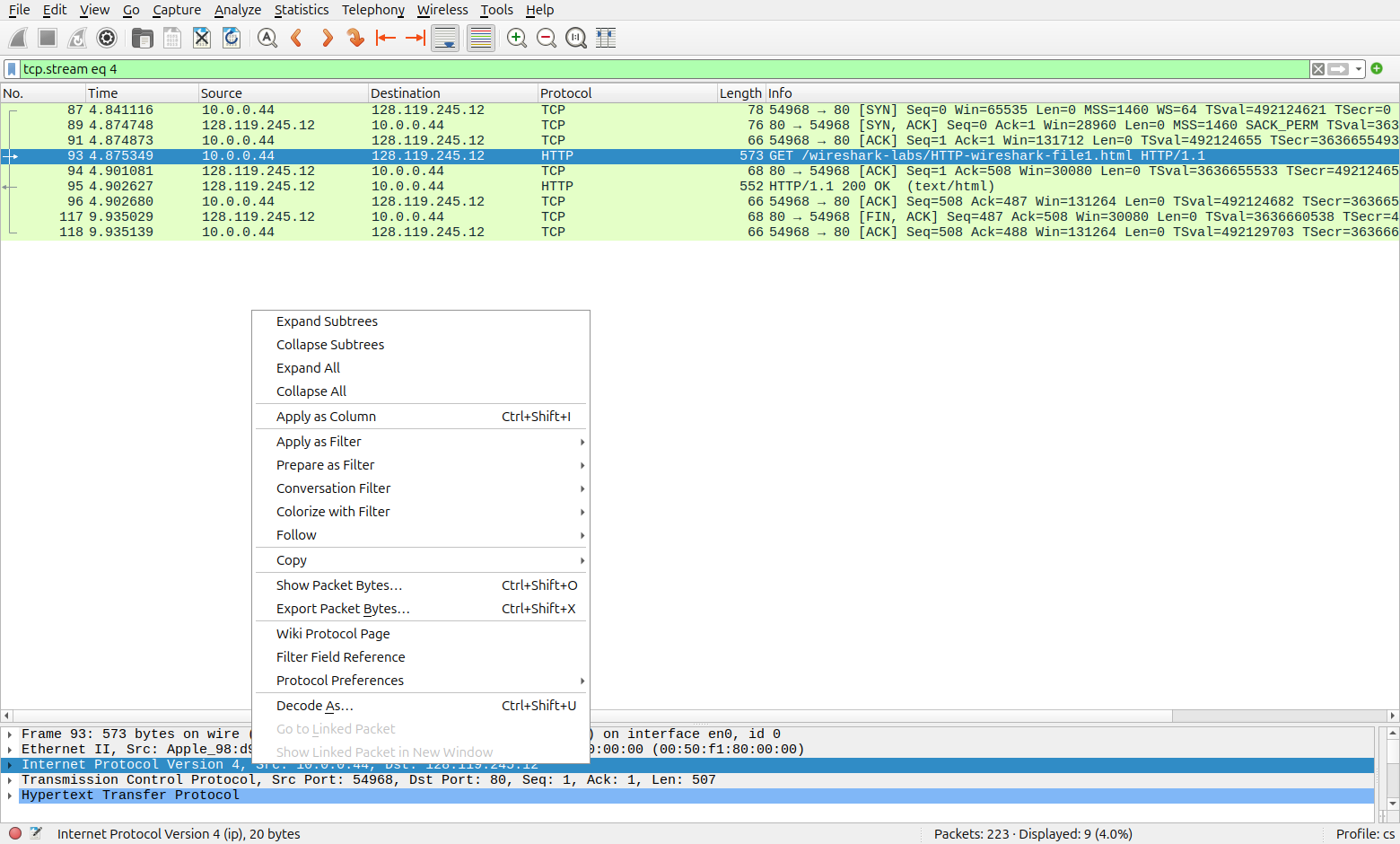
Move 2: Apply as Filter
Right-click any field in the packet details, Apply as Filter → Selected, and Wireshark writes the filter for you. Good for addresses, ports and flags you don't want to type.
Wireshark · helper 3 of 6Lab 1 trace, not the case files
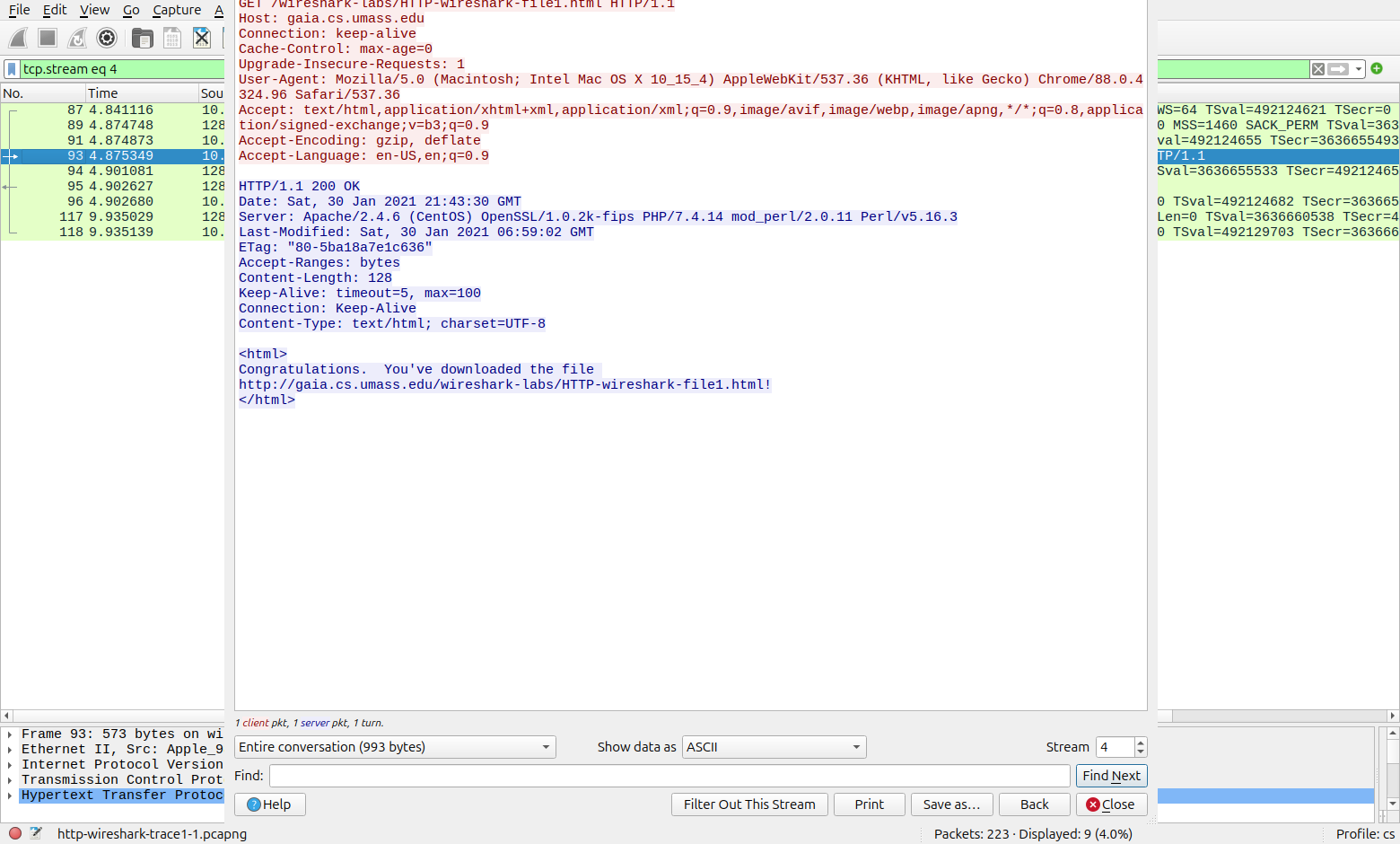
Move 3: Follow → TCP Stream
Right-click a packet, Follow → TCP Stream. The whole conversation as text, one colour per direction. Case 1's emails read like this. Close it and the filter bar holds tcp.stream eq N.
Wireshark · helper 4 of 6Lab 1 trace, not the case files
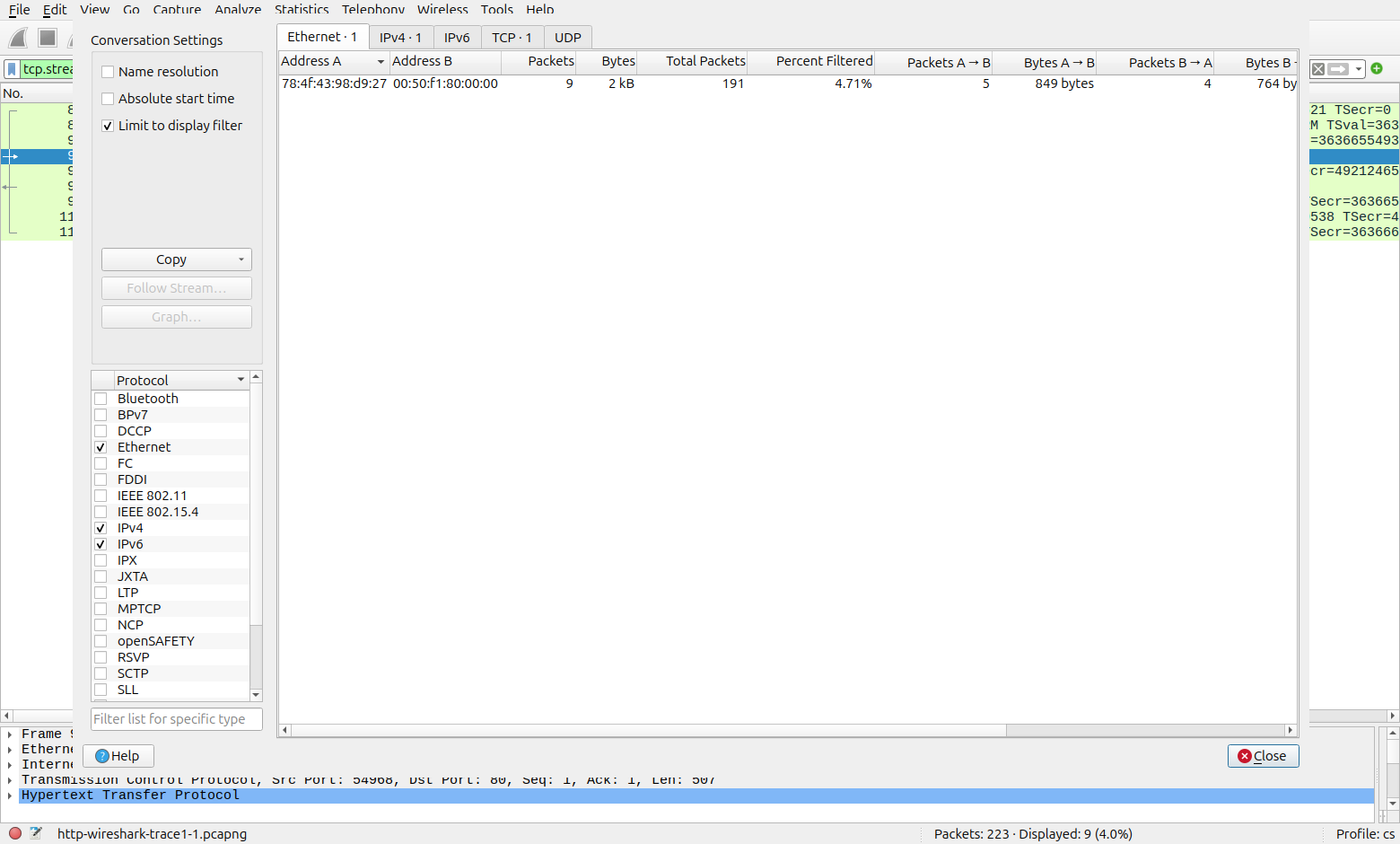
Move 4a: Statistics → Conversations
Who talked to whom and how much. The IPv4 and TCP tabs are the useful ones. In Case 2 this turns 13,600 packets into a handful of rows.
Wireshark · helper 5 of 6Lab 1 trace, not the case files
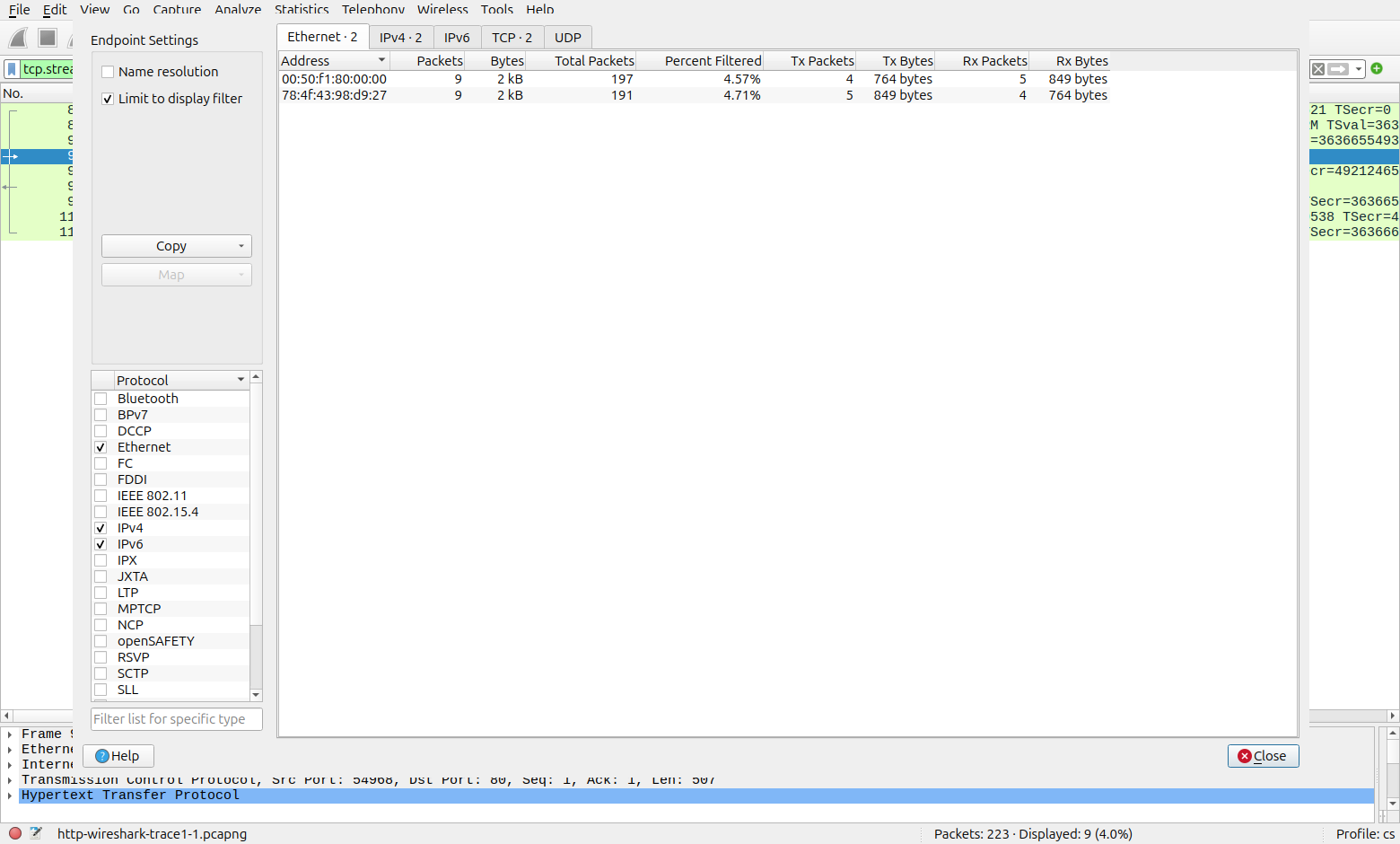
Move 4b: Statistics → Endpoints
Every address in the capture. The Ethernet tab with Name resolution ticked shows which company made each network card.
Wireshark · helper 6 of 6Lab 1 trace, not the case files
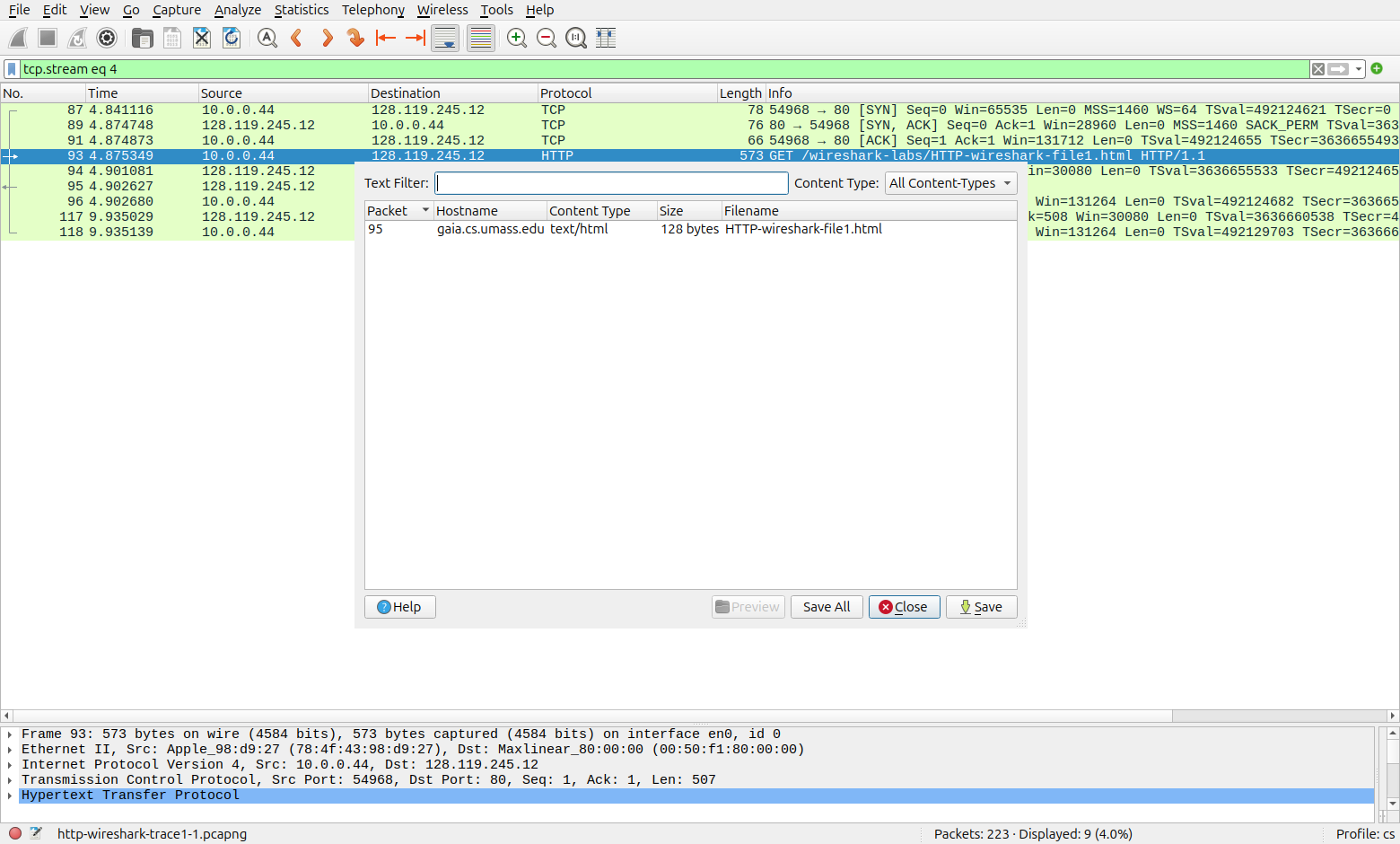
Move 5: File → Export Objects
The files inside the traffic. Here HTTP; in Case 1 it's IMF, the emails. Save All into your repository folder, then run the extraction script on the one with an attachment.
Set up
Lab starts
Accept and clone Lab 3. Open evidence/case1.pcap in Wireshark and answers.txt in an editor.
readFollow the README.
checkRun python3 check.py first: it checks the format of your answers.
submitDon't forget to submit: commit and push, then git tag submit/1 && git push origin submit/1. You have three attempts.
Wrap-up
Before you leave
nowCommit and push, then git tag submit/1 && git push origin submit/1. Two more by Sunday 11:59 pm.
project 22A is due Sunday 22 November, 11:59 pm (tag dns/N). 2B is out: due Wednesday 9 December.